{META} {NAV_LINKS}
US Toll Free: 1-866-PBMEDIC (726-3342)order status view cart checkout 

dealer discounts | educational discounts | international shipping

Search for parts by Keyword or Apple Part # xxx-xxxx:
Macbook & Macbook ProAluminum G4Titanium G4iBook G4iBook G3PismoLombardiPod
Browse for parts: 
Browse by Model
  MacBook & Macbook Pro
  iPod / iPhone
  Powerbook G4 Aluminum
  Powerbook G4 Titanium
  iBook G4
  iBook G3 Dual USB
  iBook Clamshell
  Powerbook G3 Pismo
  Powerbook G3 Lombard
  Powerbook G3 Wallstreet
  Older Powerbooks

Browse by Parts
  Hard Drive Upgrades
  Ram / Memory Upgrades
  Battery Replacements
  Superdrive / Combo Drives
  Keyboards & Keys
  LCD Display Replacements
  Power Adapters
  Titanium G4 Hinges
  Processor Upgrades
  Wireless & Airport
  Tools, Tape, Etc...
  Software & Disk Utilities
  Misc Parts - PowerMac, etc...


News
   Enter your email address below to receive monthly specials and coupons on our complete inventory
of powerbook parts, repair, and acessories:

Special Signup:    

Welcome to the iPhone Take Apart Guide

Navigation


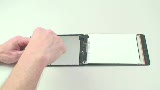
To open the case, it is first advised to protect the back casing if you are inexperienced. It is easy to slip and accidentally damage the casing.


It is best to overdo it since we will be using sharp metal tools that could very quickly damage the unit.


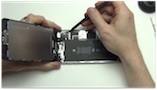
The first thing to do is remove the rubber backing. You will need to wedge your flat tool (such as a putty knife) into the groove and gently pry it up but to be careful not to bend the casing.


Once it is loosened, you can pop it off. It will generally bend backwards. There are a couple of clips holding it to the upper metal back casing so watch for those clips.


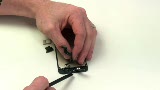
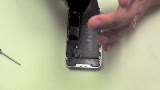
Once you have the rubber back off, there are two screws to remove. One is located near the middle.


The other is located to the far left.


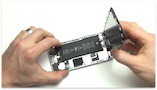
After this, you will need to do start releasing the clips along the edge of the case between the front frame and the back case. This can be tricky and it is best to get your flat tool and slide it through the groove until you hear them pop as they release.


Go to Next Page (Removing the Sim Card)

Member Login


Login

Register

Your cart
  
Cart is empty
  

View cart
Checkout


Services
 Take Apart Repair Manuals
  MacBook Repair
  Powerbook Repair
  iBook Repair
  iPod Repair

Security
HACKER SAFE certified sites prevent over 99.9% of hacker crime.


BizRate Customer Certified (GOLD) Site


Credit Cards and Paypal accepted.