{META} {NAV_LINKS}
US Toll Free: 1-866-PBMEDIC (726-3342)order status view cart checkout 

dealer discounts | educational discounts | international shipping

Search for parts by Keyword or Apple Part # xxx-xxxx:
Macbook & Macbook ProAluminum G4Titanium G4iBook G4iBook G3PismoLombardiPod
Browse for parts: 
Browse by Model
  MacBook & Macbook Pro
  iPod / iPhone
  Powerbook G4 Aluminum
  Powerbook G4 Titanium
  iBook G4
  iBook G3 Dual USB
  iBook Clamshell
  Powerbook G3 Pismo
  Powerbook G3 Lombard
  Powerbook G3 Wallstreet
  Older Powerbooks

Browse by Parts
  Hard Drive Upgrades
  Ram / Memory Upgrades
  Battery Replacements
  Superdrive / Combo Drives
  Keyboards & Keys
  LCD Display Replacements
  Power Adapters
  Titanium G4 Hinges
  Processor Upgrades
  Wireless & Airport
  Tools, Tape, Etc...
  Software & Disk Utilities
  Misc Parts - PowerMac, etc...


News
   Enter your email address below to receive monthly specials and coupons on our complete inventory
of powerbook parts, repair, and acessories:

Special Signup:    

Welcome to the iPhone Take Apart Guide


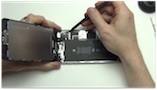
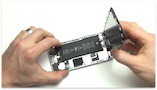
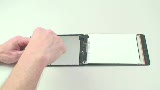
Once the sim card is out, you can now free any remaining clips and flip the back case over and lay the two pieces side by side. You now get your first real look at the guts of the iPhone.


Pictured above is the battery that is soldered to the logic board, so switching out the batteries are going to be a pain just like on the iPod nanos.


The headphone board is pictured above and is located on the back case to the right. It is very similar to the 3rd and 4th gen style iPod headphone board. It is attached by one cable that controls the audio to the headphone board and the power button.


The headphone board cable can simply be removed by gently prying up on the connection to the logic board.


There are several screws holding the front metal frame on which surround the LCD. There are three on each side.


There is a small gasket covering one screw on the right side of the dock connector on the bottom.


And two on the bottom.


And two on the top.


You can now remove the front metal frame.


Pictured above is the heat shield covering the logic board and the camera. There are three screws holding down the board. One is near the camera and the two longer screws are towards the sides.


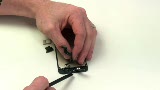
You can pop off the camera by gently prying up on the connector to the main board.


There is a small piece of tape holding down one of the antenna cables. You can simply peel off the tape.


There are two accesible cables on the underside of the logic board. These can be popped off just like the other cables mentioned previously.


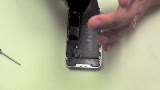
The battery is held on by adhesive to the front case and soldered to the logic board by three wires. It can be gently pryed up from the bottom to loosen the adhesive.


You can then pull back the logic board and you can see the LCD cable. It is one of the standard iPod connectors and can be tricky if you aren't experienced with them. The locking bar needs to be flipped up and then the cable can slide out.


The iPhone is now disassembled.


Member Login


Login

Register

Your cart
  
Cart is empty
  

View cart
Checkout


Services
 Take Apart Repair Manuals
  MacBook Repair
  Powerbook Repair
  iBook Repair
  iPod Repair

Security
HACKER SAFE certified sites prevent over 99.9% of hacker crime.


BizRate Customer Certified (GOLD) Site


Credit Cards and Paypal accepted.