Easy Search [ ? ]
 
Home  >>  iPhone  >>  Apple  >>  iPhone 4S  >>  iPhone 4S (A1387)

iPhone 4S (A1387)

Submitted By: powerbookmedic
Approved On: 10/19/11
Description: This is the official Powerbookmedic.com take-apart guide for the iPhone 4S.

Get Adobe Flash Player
User Rating:  Please rate this video.

Comments (15):

Ricco
1 week ago
The power button is stuck in the depressed position on my iPhone 4S. What is the repair procedure?
Powerbook Medic
3 weeks ago
@Jester - sure. you only need to stay with the same carrier type.
Jester
3 weeks ago
Can an iphone 4s logic array be swapped to a larger size ? Example a 4s 16gb to 32gb
murad khan
3 months ago
ai want new iphone id
Powerbook Medic
6 months ago
@Tom - we sell an EMI Shield Kit in the part list to the right. You can see if the one you need is in that picture.
Tom D
7 months ago
Hello! Thanks for the awesome video. Excellent quality!! I have one question. I am missing the EMI shield that pinches between the battery connection & Antenna connector. Is this shield absolutely necessary? What issues may I came across if I don't replace it. I have not had any luck locating a replacement. Thank You in advance and have a great New Year Holiday! TOM D
Powerbook Medic
7 months ago
@Nicholas - there isn't a good way. You can sometimes separate the casing enough to get at the sim card from the inside.
NicholasB_1
7 months ago
Hi, I enjoyed your video and used it as a guide to dismantle an iPhone 4S 1387A. Have you any idea how to remove a sim card from the sim card bay when the release does not work when I use the hole and a pin? I tried dismantling but can not remove the board without removing the sim card first like your video showed.
Powerbook Medic
7 months ago
@za - you should see the hole on the outside for the sim card tray. you can use a paperclip or sim card removal tool to pop the tray out.
za mengal
7 months ago
how can i insert a sim card in my iphone a1387
scandi
9 months ago
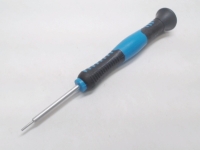
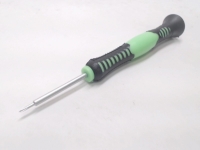
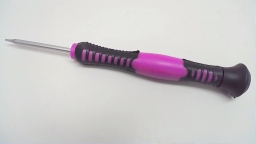
The screwdriver size I think is not Philips0 (zero) as mentionend in the video but rather the even smaller Philips 00 (zero zero). Very helpfull video. Keep it up.
Andre
13 months ago
i droped my white 4S and cracked the front and back glass and even though it worked 100% i hated how it looked so i purchased a blue housing to have a different looking iphone than a typical black or white. i found this video on youtube and watched it fully probably ten times for it was the first time ever opening an iphone of the 4 series. i followed this video step by step and it was very helpful especially with the tech describing every part. my 4S looks very nice in its blue housing and is working 100%. these guys are amazing professionals. thank you very much for this helpful video. great job
sanke raghu
1 year ago
My mobile disply glass
Powerbook Medic
1 year ago
@mani - click the box that says Select a video to download.
mani
1 year ago
i like it and its really very helpful.. but i am not able to download this vedio.. can u plz tell me how to download..?# thanks
Collapse comments


If you would like to leave a comment about the video, please type in your name and comment below.

You must have cookies and javascript enabled to submit comments

Name:
Comment:


Service Parts
Tools
 
Copyright 2013 PowerbookMedic.com, LLC
Terms & Conditions | Warranty Policy | Educational and Dealer Discounts | Recover Password | RSS
Newsletter | Privacy Notice | About Us | Contact Us | Site Map | International Shipping | Request a Part | Account Login