Easy Search [ ? ]
 
Home  >>  iPod  >>  Apple  >>  iPod Touch 2nd Gen  >>  iPod Touch 2nd Gen (A1288)

iPod Touch 2nd Gen (A1288)

Submitted By: powerbookmedic
Approved On: 11/4/09
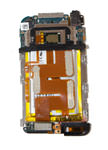
Description: This is an official Powerbookmedic.com take-apart video for the iPod Touch 2nd Gen with model number A1288.

Get Adobe Flash Player
User Rating:  Please rate this video.

Comments (241):

sunshine
2 days ago
i have and ipod touch 2 generation and in feb. or mar. i droped it in water and the screen won't work. please help me.
Powerbook Medic
1 week ago
@Yang - there is some soldering involved and it does require a soldering iron. There is typically enough solder remaining to just heat it back up and reconnect the points. If you do not feel confident doing it, we do offer a repair service and we can do it for you using the Send-in link at the top of our site.
Yang
1 week ago
Do I really need to solder the daughter board on the motherboard? If so, how to;do I need solder iron(or whatever it is called)? Or only somewhat glue, cause I saw perminant strong glue(not the adhasive securing it on the board), and I tried to pick it off a little bit(figuringout that it might be important. Well yeah, that's all. Please take time to figure how tosolder it, although you guys might knew already.anywaythanks!
Powerbook Medic
3 weeks ago
@Arkee - it sounds like part of your digitizer touch panel has gone bad, so you'd need to replace that. As far the lock switch, you may want to open it up first to see what is causing the issue but you may need to replace the volume and power cable
Arkee
3 weeks ago
Hi my iPod touch 2nd generation is experiencing a lot of problems. My bar to unlock my iPod won't slide all the way to the right and sometimes doesn't work at all.Whenever it does work, it works just fine but my keyboard on my iPod doesn't seem to type the letters R or D and number 4 and the symbol ; and sometimes my iPod just clicks on random things for about 15 mins when I'm typing something or when I'm using Safari...I need help
Powerbook Medic
4 months ago
@byrdo - the disabled error is a software issue, so opening it up won't affect that. you'll need to boot into DFU mode and restore it with iTunes to reset it.
byrdo
4 months ago
by openning the ipod is there any way the ipod will reset back to factory cause its disalbled
Powerbook Medic
4 months ago
@liz - you should be able to restore it to factory defaults. you will lose everything on the ipod though.
View all comments


If you would like to leave a comment about the video, please type in your name and comment below.

You must have cookies and javascript enabled to submit comments

Name:
Comment:


Service Parts
Tools
 
Copyright 2013 PowerbookMedic.com, LLC
Terms & Conditions | Warranty Policy | Educational and Dealer Discounts | Recover Password | RSS
Newsletter | Privacy Notice | About Us | Contact Us | Site Map | International Shipping | Request a Part | Account Login