Easy Search [ ? ]
 
Home  >>  Laptop  >>  Apple  >>  MacBook  >>  Macbook Glass and LCD (A1278)

Macbook Glass and LCD (A1278)

Submitted By: powerbookmedic
Approved On: 9/25/09
Description: This video will show you how to replace the glass assembly in a Unibody Macbook and Macbook Pro.

Get Adobe Flash Player
User Rating:  Please rate this video.

Comments (31):

Powerbook Medic
1 week ago
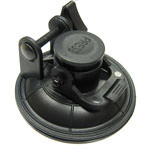
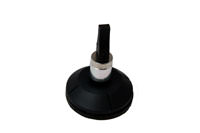
@Ebus - between the glass and rubber... @Jeremy - the heat isn't completely necessary and only helps with the adhesive is extremely stubborn. Almost all glass can be removed by just the suction cup and a flat tool. As far as the adhesive not sticking, you may want to put very tiny drops of epoxy on the corners just to make sure the glass holds and the adhesive has time to set properly.
Jeremy
1 week ago
Had cracked glass and replaced with new glass. Used a hair dryer, didn't go all to smoothly, but got the job done. However, the double sided tape that came with the new glass isn't holding. It keeps lifting up from the screen a couple times a day. Any tips.
Ebus
1 week ago
A couple of questions; first, what is heated as far as temperature is concerned? I've brought the glass temperature up to 160 degrees and no happiness. Glass is still firmly attached. Second, where along the edge is the thin plastic strip inserted? Between the glass and the rubber strip or between the rubber strip and the metal housing?
Powerbook Medic
2 weeks ago
@David - did you use a suction cup as shown in the video?
David
2 weeks ago
I have a late 2008 Unibody MB. I tried removing the glass cover, but it was stuck in there too damn hard! I dont have a heat gun, so I used a hair dryer, holding it close to the screen for a long time. It seemed to get pretty hot, but then again, I don't know how hot a heat gun would have made it. How hot is the screen supposed to be? Also, I tried pulling quite hard with the suction cup, but didnt want to damage anything so I gave up. Thirdly, I took a pocketknife, and stuck it in a gap between the rubber edge and the glass and tried to wedge the glass out to get a feel for how tightly it was adhered (the glass was not hot anymore at this point). And Jesus!, it was stuck in there hard. I stopped trying because not knowing how bendable the glass is, I didnt want to break it. With the knife wedging, I couldnt even wedge the glass out enough to stick a larger object (like a credit card) underneath. Any advice for me?
Powerbook Medic
4 months ago
@Tom - this is just the glass removal video. We have a more complete video for the entire machine. As far as removing the display, it is just a few screws once you get to the top case. The plastic in front of the hinges is not sold separately.
Tom
4 months ago
No where does it show how to take the screen off the main body? Also is it possible to replace the plastic bit that covers the hinge?
Powerbook Medic
4 months ago
@Marie - If you tilt the screen back and forth does it get better or worse? If not, it'll probably be the LCD. If it does, it may be a cable issue.
View all comments


If you would like to leave a comment about the video, please type in your name and comment below.

You must have cookies and javascript enabled to submit comments

Name:
Comment:


Service Parts
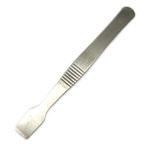
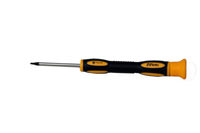
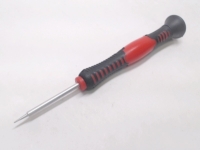
Tools
 
  • image
  • image
  • image