Add a Second Hard Drive to your Macbook or Macbook Pro Unibody
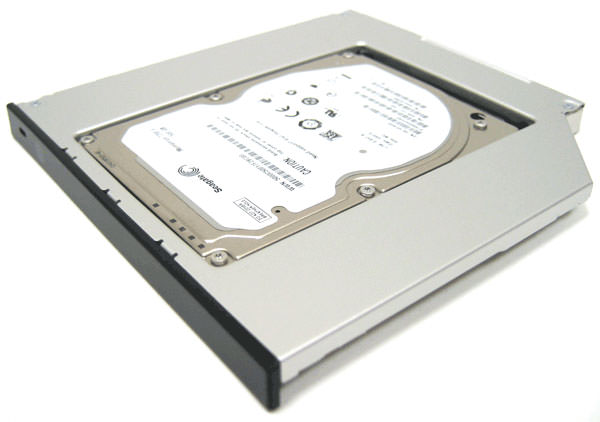
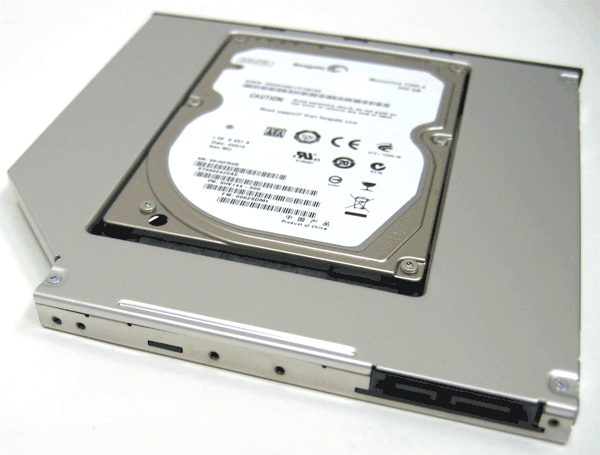
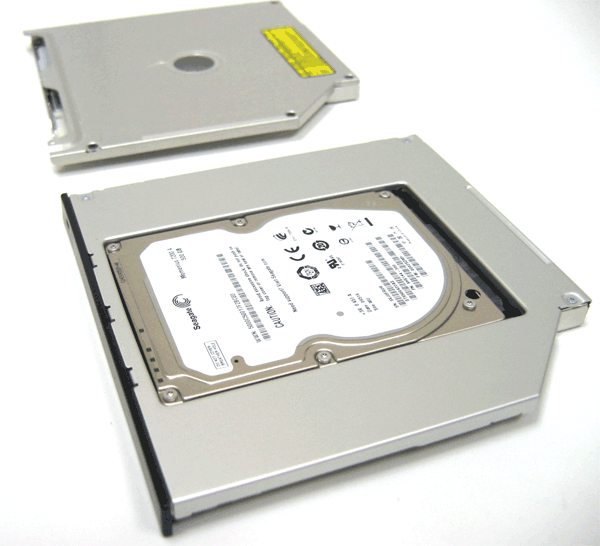
Double the storage capacity of your Apple Laptop with a Dual Drive!
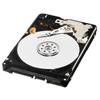
The DualDrive replaces your internal optical drive with a hard drive of your choice (Only 2.5" SATA drives will work in the Dual Drive). As a result, you will no longer have a CD drive in your unit. You can still have an external cd drive by purchasing an external drive such as our External Superdrive DVD/CD Burner and Reader
If you're the type of person who doesn't use your optical drive much, but needs extra storage capacity on the go, then the Dual Drive is what you need.
The DualDrive does not come with mounting hardware or mounting instructions.The drive will use the mounting brackets that your original drive used. Free take apart guides are available from our website. Some machines have multiple brackets, and in some cases multiple brackets will not be required. The drive will sit firmly in place once the machine is completely back together.
You can mount the drive that is currently in your machine into an external enclosure we offer. You can view that product by clicking here.
Product Compatibility
Submit your device's serial number or model number to check for compatibility using our built-in system. These devices will be saved for future visits as well.
*This item has multiple product options. The list below includes all of those options. Make sure you select the correct product option for your model.
Self-Install Guides and Videos
We have a large selection of free take apart and installation guides on our repair guide page: Mac Repair Guides .
Related Products
Customers who bought this product also bought the following products: This does not necessarily mean these products are compatible with your device.
This part is no longer available.
Description
Add a Second Hard Drive to your Macbook or Macbook Pro Unibody
Double the storage capacity of your Apple Laptop with a Dual Drive!
The DualDrive replaces your internal optical drive with a hard drive of your choice (Only 2.5" SATA drives will work in the Dual Drive). As a result, you will no longer have a CD drive in your unit. You can still have an external cd drive by purchasing an external drive such as our External Superdrive DVD/CD Burner and Reader
If you're the type of person who doesn't use your optical drive much, but needs extra storage capacity on the go, then the Dual Drive is what you need.
The DualDrive does not come with mounting hardware or mounting instructions.The drive will use the mounting brackets that your original drive used. Free take apart guides are available from our website. Some machines have multiple brackets, and in some cases multiple brackets will not be required. The drive will sit firmly in place once the machine is completely back together.
You can mount the drive that is currently in your machine into an external enclosure we offer. You can view that product by clicking here.
Product Compatibility
Submit your device's serial number or model number to check for compatibility using our built-in system. These devices will be saved for future visits as well.
*This item has multiple product options. The list below includes all of those options. Make sure you select the correct product option for your model.
Self-Install Guides and Videos
We have a large selection of free take apart and installation guides on our repair guide page: Mac Repair Guides .
Related Products
Customers who bought this product also bought the following products: This does not necessarily mean these products are compatible with your device.

 To see an installation guide and demo, click here.