Easy Search [ ? ]
 
Home  >>  iPod  >>  Apple  >>  iPod Nano 3rd Gen  >>  iPod Nano 3rd Gen (A1236)

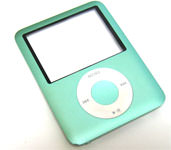
iPod Nano 3rd Gen (A1236)

Submitted By: powerbookmedic
Approved On: 2/25/10
Description: This is an official Powerbookmedic.com Take-Apart manual for the iPod Nano 3rd Gen.

Get Adobe Flash Player
User Rating:  Please rate this video.

Comments (35):

bennie
2 months ago
my Ipod stopped working... just a black screen even when plugged into my pc
Powerbook Medic
3 months ago
@aisling - fat
aisling
3 months ago
is the ipod nano 1236 CALLED 'FAT' OR 'FLAT'?
Powerbook Medic
5 months ago
@Kay - that typically means the switch is out of alignment or broken. You'll have to open it up and see if it just needs to be reseated or replaced.
Kay
5 months ago
The hold button on my ipod a1236 is broke it will slide back and forth but the lock on the screen will not go away what should i do
Powerbook Medic
5 months ago
@BB - it is most likely a dead logic board.
BB
5 months ago
My ipod froze. When I connect it to the PC to charge - nothing- the PC does not indicated that is connected.
Powerbook Medic
5 months ago
@ks - sounds like a battery issue. worst case it's the logic board.
ks000005
5 months ago
my ipod a1236 is only working when connected to the charger and only for 15 to 20 minutes whats the problem is it battery problem........help meeeeeeeeeeeeeeee
Powerbook Medic
8 months ago
@akmal - that is typically a logic board issue. If you can't sync it up and restore it, you'll need to replace the logic board.
akmal
8 months ago
My i pod showing on the screen that it is connected eject before connecting but actually it is not connected at any types of usb code.....what should i do now??
Powerbook Medic
11 months ago
@Rodrigo - that means you need to eject it from your operating system before physically disconnecting the USB cable.
Rodrigo
11 months ago
My ipod is showing up with the screen that is connected by usb, but it also appears that he is on and with a message saying "Eject before disconnecting." What's this?
Powerbook Medic
11 months ago
@Sam - two beeps is the error for the LCD not being plugged in correctly. You'll need to open it up and reseat the LCD cable.
Sam
11 months ago
My iPod nano 3G has a black screen and beeps twice. That's all it will do, I've restored it and didn't fix the problem. Any idea's
mike
11 months ago
just recieved the logic board installed it and when i pluged it in to my computer it comes up with i tunes need to recovry you ipod and it downloads and then repeats the process
Powerbook Medic
11 months ago
@Angie - yes.
Angie
11 months ago
If I want to replace the battery and meanwhile avoid the soldering process, should I buy a logic board with battery and replace the whole thing? Thank you.
Powerbook Medic
11 months ago
@Wilk - not without replacing one of them.
Wilk
11 months ago
Great video. Thanks. Is there a way to know if the trouble is within the click wheel or in the logic boars?
Neel
1 year ago
the problem with my ipod is that whenever i on my ipod and try to click on anything it automatically restarts....the apple logo shows up.... i have tried formattin the thing also tried to put songs using itunes in itunes it shows the songs are in the ipod but wen i see in ma ipod it shows there is no song... its all of a sudden problem can anyone help me please?????
Powerbook Medic
1 year ago
@Roberto - that is typically an issue with a corrupt OS. You can try to restore it in iTunes. It may end up being defective flash memory though and would require a new logic board.
ROBERTO
1 year ago
IHAVE A PROBLEM IPOD DOESN'T START IT HAVE AND BIG X WHIT A RED CIRCLE
Mike Beda
1 year ago
You guys are great. Using your video and a part from your store I was able to replace the LCD successfully. Mangled the case some, but it got mangled some in breaking the LCD too. I wasn't sure I could do it, but it worked. Thanks!
Powerbook Medic
1 year ago
@prlyadarshana - sounds like you may need a new logic board.
priyadarshana
1 year ago
i cantlisten or see videos througt my ipod.datas can see through computer. but it doesnt work.
dan
1 year ago
My ipod went through the wash and I assumed it was dead but it still works and all my music is on it but the screen is very dark - If I shade all the surrounding light I can still see everything on the screen. does this sound like something a new screen would fix?
Powerbook Medic
1 year ago
@manal - without any other details, it is hard to say. I would start by plugging it up to your computer and trying to restore it.
manal
1 year ago
i have aproblem my ipod doesn't want to start
Powerbook Medic
1 year ago
@arsonfrank - that typically means the ipod needs to be restored or is not syncing correctly. There should be a restore option in iTunes that will erase all your music and reinstall the OS. If it doesn't, you may need to take it or send it to a professional for diagnosis.
arsonfrank
1 year ago
i think my ipod got a problem. when i connect my ipod in itunes their is only summery no others options. so i think i need help.
gopi
2 years ago
it was bad i lose my i pod
francis
2 years ago
can you please help me, i think my ipod got a problem. everytime i plug in my earphone, only one is functioning. but i tried my earphone into other ipod the two are working. so i think its not the earphone who got problem.. can you help me what to do????

3 years ago
0
maggief15
3 years ago
Good camera work - can clearly see all steps. Thank you
Collapse comments


If you would like to leave a comment about the video, please type in your name and comment below.

You must have cookies and javascript enabled to submit comments

Name:
Comment:


Service Parts
Tools
 
Copyright 2013 PowerbookMedic.com, LLC
Terms & Conditions | Warranty Policy | Educational and Dealer Discounts | Recover Password | RSS
Newsletter | Privacy Notice | About Us | Contact Us | Site Map | International Shipping | Request a Part | Account Login