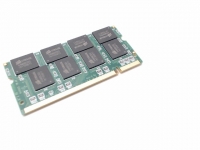
This part is no longer available.

Description

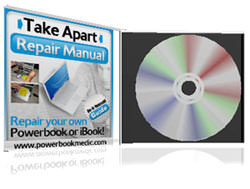
Powerbook G4 Aluminum 12" Take Apart Repair Manual

Repair your own powerbook or iBook with a Take Apart Repair Guide designed by Powerbookmedic.com. This guide was designed by Powerbook and iBook professionals for everyone. Even if you've never opened a computer before, this guide will help you get your repair accomplished with step by step instructions and pictures! If you need further help with repairing your unit, this manual comes with

30 DAY FREE TECHNICAL EMAIL SUPPORT

Table of Contents

Battery Removal pg. 4
Airport Extreme Card pg. 5
Ram Access Door / Ram Removal pg.8
Keyboard Removal pg. 9
Trackpad / Top Case / Palmrest Removal pg. 13
Hard Drive Removal pg. 19
Hard Drive Bracket / Cable Removal pg. 21
DC-DC Board Removal pg. 23
Modem Removal pg. 28
Heatsink pg. 30
Ribframe / Internal Frame Removal pg. 34
Logic Board Removal pg. 40
DC-IN Board Removal pg. 42
Optical Drive Removal pg. 44
Optical Drive Bracket / Cable Removal pg. 46
Bluetooth Board Removal pg. 48
SubWoofer Removal pg. 50
Display Module Removal pg. 52
Bottom Case Removal pg. 57
Display Back Casing pg. 58
Display LCD pg. 62
Inverter Board / Display Cable Removal pg. 65
Clutches / Hinges / Display Bezel pg. 69

Total: 72 Pages


This manual was created by us, and you will not see if offered anywhere else!

This product comes with a 100% satisfaction guarantee. If you are not satisfied with this product, then email us with the explanation, and we will refund your purchase price. We stand behind our products!


Screenshots of the Manual

File Size: 19.9MB


After buying this item, you will be mailed a CD with the PDF manual on it.

Product Compatibility


Submit your device's serial number or model number to check for compatibility using our built-in system. These devices will be saved for future visits as well.

Self-Install Guides and Videos


We have a large selection of free take apart and installation guides on our repair guide page:
Mac Repair Guides .